
Option 1
From Settings
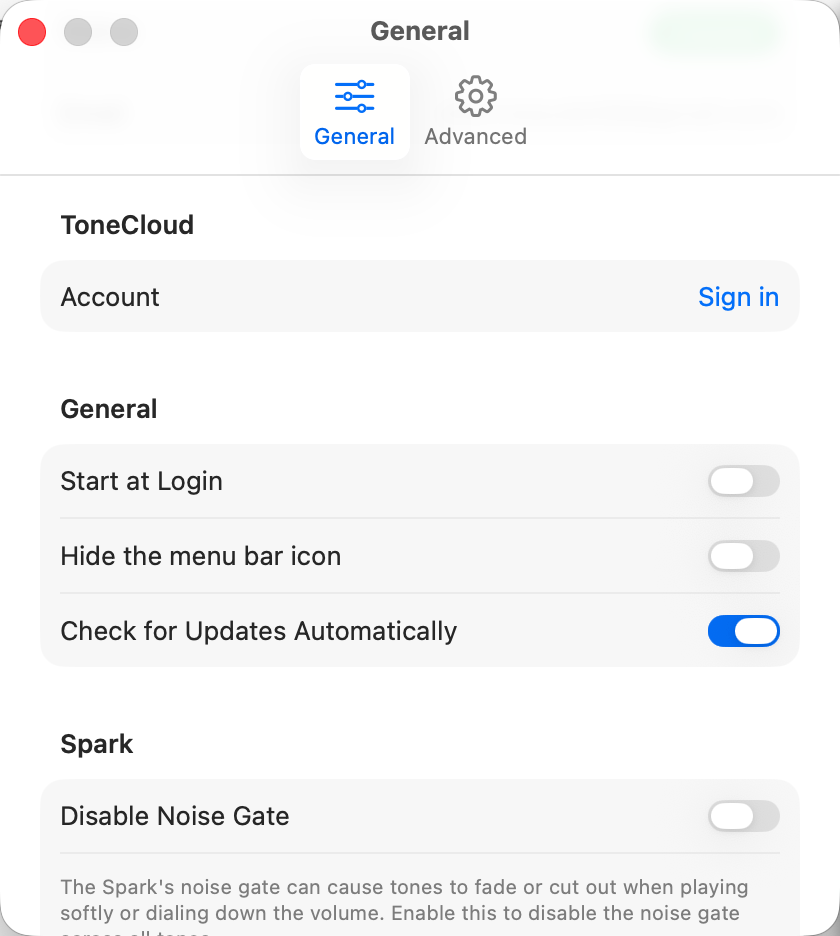
Open Settings (⌘,) and stay on the General tab. Under ToneCloud, click Sign in next to Account. TonePilot will show a sign-in prompt right inside the app for your Positive Grid account.
TonePilot Help
Signing in with your Positive Grid account unlocks the cloud library of community presets you can browse and load directly onto your amp.
Option 1
Open Settings (⌘,) and stay on the General tab. Under ToneCloud, click Sign in next to Account. TonePilot will show a sign-in prompt right inside the app for your Positive Grid account.
Option 2
In the top bar, select Tones, then choose the Browse tab. A Positive Grid Account card appears with a Sign In button.

If the login window doesn't open or your account doesn't appear after signing in, email contact@tonepilot.app with your amp model and macOS version.